

To use the stock screener you have to log in.
Do this by clicking on the Login icon at the top right of the Quant Investing website.

After you have logged in:
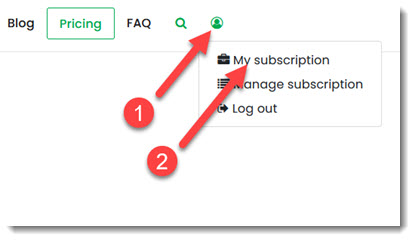
Step 1- Click the Subscriber Icon that appears at the top right of the website.
Step 2 - Click on the My Subscription menu item.
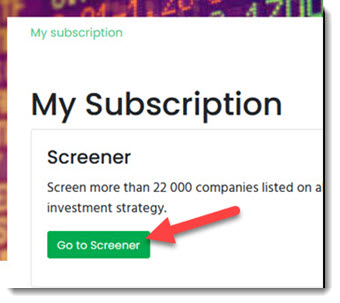
On the next page click the Go to Screener button.
This guide shows you just how easy it is to set up your first screen with the Quant Investing stock screener:
Quant Investing Screener Quick Start Guide
Keywords: login, screener access, enter screener, get access to screener